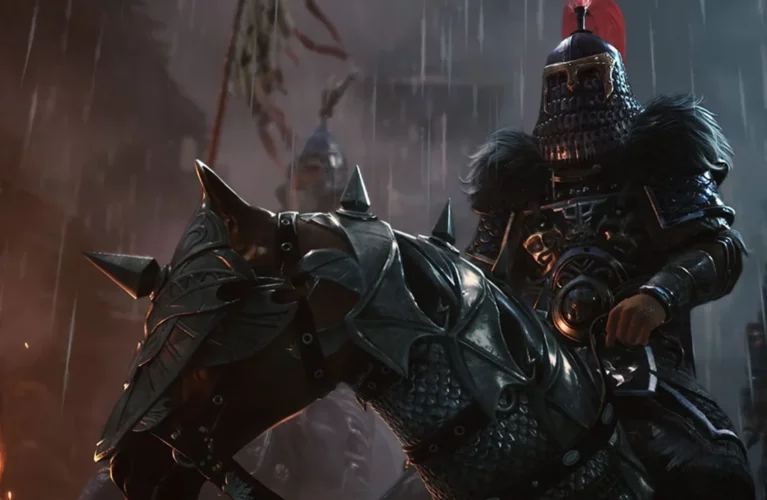

Call of Duty: Modern Warfare III, slated to be released in November 2023, is the franchise’s twentieth installment and the third in the relaunched Modern Warfare sub-series. Sledgehammer Games created it, and Activision released it. It is based on Task Force 141’s pursuit of Russian ultranationalist Vladimir Makarov in order to prevent a third World War. The multiplayer mode features Modern Warfare 2 maps that have been revamped, as well as a new open-world Zombies mode. Originally planned as a Modern Warfare II expansion, it was later released as a solo title, resulting in substantial crunch. The game was officially revealed in August 2023, following leaks earlier in the year. Today, we are going to talk aobut How to Fix MW3 Vault Edition Not Working on Battlepass
Vault Edition Not Working in MW3
In the “Blackcell” bundle, the Modern Warfare 3 Vault Edition contains a battle pass, in-game COD Points, and tier skips. However, if you begin playing on day one, you will not be able to access these bonuses until the game’s first full season begins.
Don’t worry, the Nemesis Operator Pack and two Weapon Vaults from the Vault Edition are now available. This means you’ll get four Operators and weapons to play with in Modern Warfare 3 and Warzone while you wait for the rest of the perks to become available during the following season.

How to Fix Vault Edition Not Working in MW3
The first thing to try to understand in order to find a solution is why this problem exists. The problem with MW3 Vault Edition not operating might be caused by a variety of factors, so let’s look into them.
Re-Authenticate Game’s License
If you’re having trouble getting MW3 Vault Edition to work properly on your PlayStation, there could be a licensing issue. But don’t be alarmed! This problem is simple to solve, and here’s a step-by-step tutorial to help you:
- On your PlayStation, go to the Settings menu.
- Select the Users and Accounts option.
- In the menu, select Other.
- Look for the option to Restore Licenses in the menu.
- When you’ve found it, choose Restore.
Following these simple procedures should resolve any licencing issues quickly and effectively, ensuring your gaming experience continues uninterrupted.
Failure of Game Files Completion
If MW3 Vault Edition isn’t working properly, the game files may not have been completely installed. In this instance, the best course of action is to be patient and wait for the installation process to finish.
Interrupting the installation may result in file conflicts and the trouble you’re experiencing. Allow the installation to complete without interruptions, and you should be on your way to a better gaming experience.
The Integrity of Game Files of MW3 Vault Edition
Due to faulty files, MW3 Vault Edition may occasionally fail to function properly. Updates can occasionally cause problems, therefore it’s a good idea to delete any additional or corrupt files to avoid conflicts and this problem. If it doesn’t work, you can try reinstalling the game.
Reinstalling can restart the process and resolve any issues that may have arisen. If all else fails, contact Activision Support for assistance. They can assist you in resolving the issue and getting your game back up and running.
To Wrap it all Up
So, you got this cool game, Call of Duty: Modern Warfare III. It’s like an action movie where you stop a bad guy from starting World War III. But, there’s a special version called Vault Edition, with bonus stuff like a battle pass and in-game money. Here’s the deal: if you start playing on day one, you won’t get these extras until the first full season.
But don’t worry, you still get some goodies like the Nemesis Operator Pack and two Weapon Vaults to play with. If you’re having issues, try fixing the game’s license on PlayStation or making sure all the game files are installed. If that doesn’t work, deleting some files might help, or you can reinstall the game. And if everything fails, just ask Activision Support for help. They got your back!
Suggested Read: Best Meta Assault Rifle in Warzone 2